Making writing JSON 3x faster on HyperVerge's API Builder
Overview

HyperVerge builds identity verification infrastructure for financial services.

Their no‑code API Builder was designed so product managers at lending companies could configure and modify verification workflows without depending on developers for every change.

But configuring each API still meant defining JSON request bodies, responses, and headers. Non‑technical PMs were hand‑writing 200‑line JSON files — slow, hard to read, and full of syntax issues to debug, which undercut the idea of a no‑code builder.

We didn’t want PMs to become JSON troubleshooters, so we built a schema builder that handles JSON while they focus on flows and business rules.

HyperVerge builds identity verification infrastructure for financial services.

Their no‑code API Builder was designed so product managers at lending companies could configure and modify verification workflows without depending on developers for every change.

But configuring each API still meant defining JSON request bodies, responses, and headers. Non‑technical PMs were hand‑writing 200‑line JSON files — slow, hard to read, and full of syntax issues to debug, which undercut the idea of a no‑code builder.

We didn’t want PMs to become JSON troubleshooters, so we built a schema builder that handles JSON while they focus on flows and business rules.

TEAM

1 product manager
1 product designer
2 engineers

DURATION

2 month

MY ROLE

Defining feature specs and end-to-end design and component creation

Impact

~3x faster JSON creation

Fewer errors during API creation

Adopted by internal technical PMs for writing JSON

About the users of the builder

The main users are non‑technical product managers who own the business loan journey at NBFCs.

Their job is to tune risk rules and launch new loan products, not write code — most of their day is still spent in Excel.

How they build API's on the platform
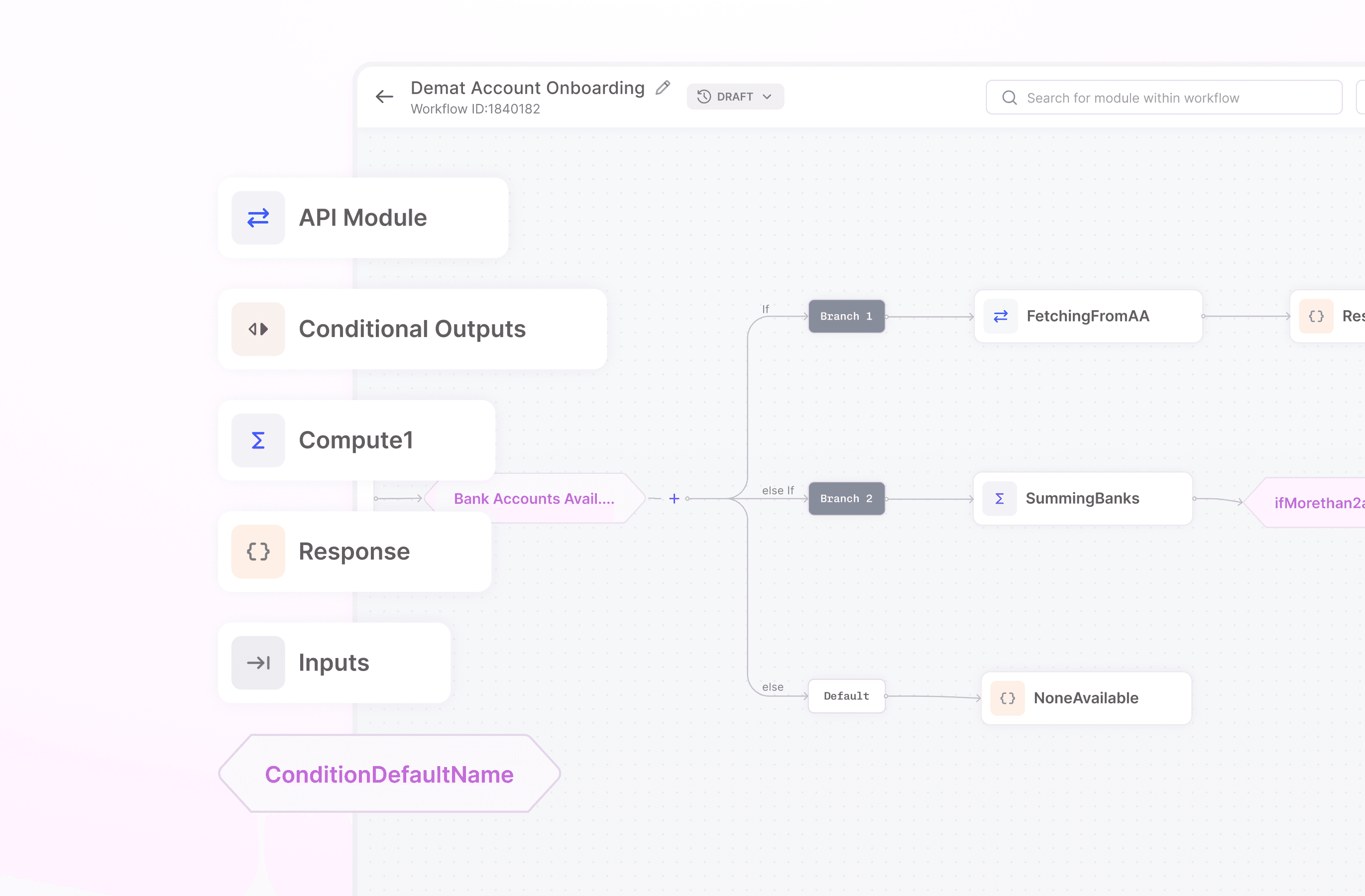
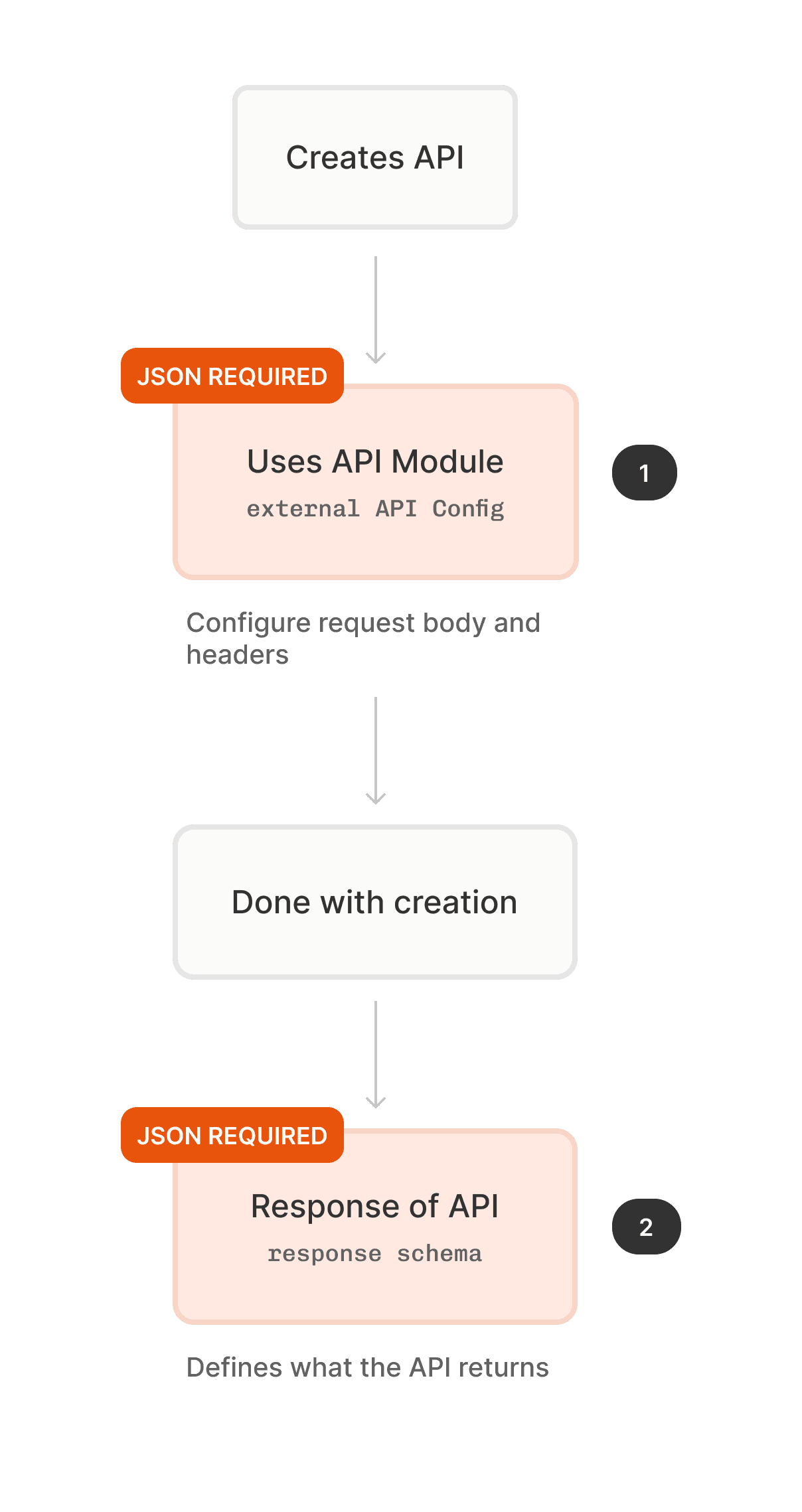
A PM assembles a workflow visually — connecting logic blocks, defining conditions and plugging in external services.

A PM assembles a workflow visually — connecting logic blocks, defining conditions and plugging in external services.

The logic blocks available on the API builder

The difficulty with connecting external services
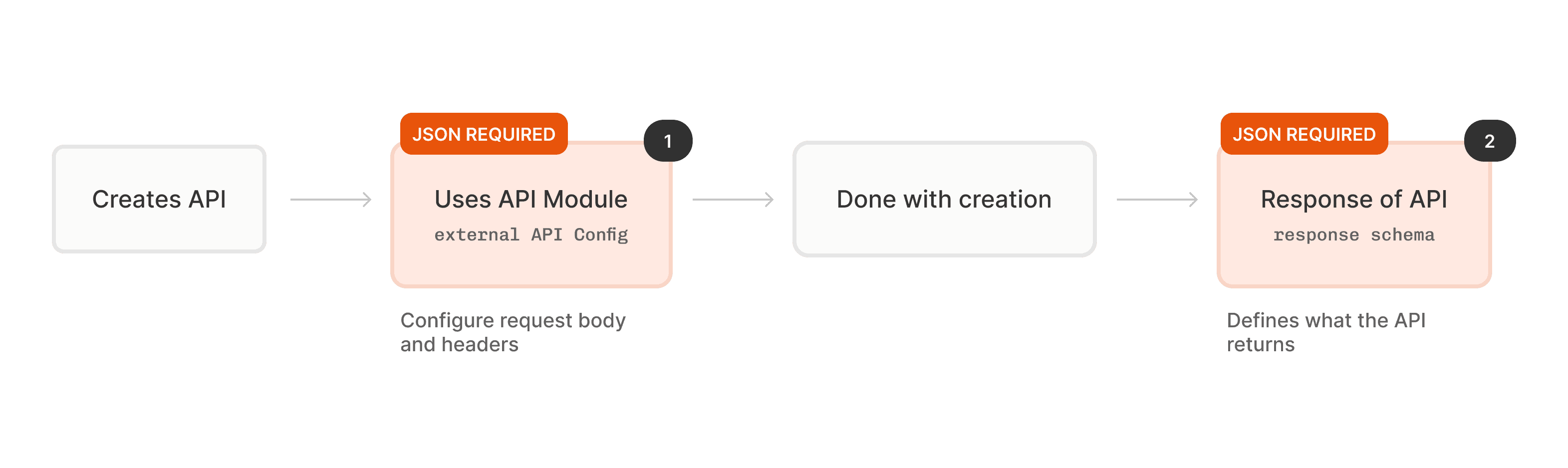
It required PMs to do something the rest of the platform never asked of them. They had to find the technical documentation for the service they wanted to integrate, understand its structure, and manually recreate that structure inside the platform.

This was the only step in the entire workflow that demanded technical knowledge. And unlike the rest of the builder — which was visual, guided, and forgiving — this step had no guardrails.

Get it wrong and nothing works. The error tells you nothing useful.

It required PMs to do something the rest of the platform never asked of them. They had to find the technical documentation for the service they wanted to integrate, understand its structure, and manually recreate that structure inside the platform.

This was the only step in the entire workflow that demanded technical knowledge. And unlike the rest of the builder — which was visual, guided, and forgiving — this step had no guardrails.

Get it wrong and nothing works. The error tells you nothing useful.

The culprit?

The common culprit?

The problem

# Problem 1

# Problem 1

Writing JSON's is error prone

Writing JSON's is error prone

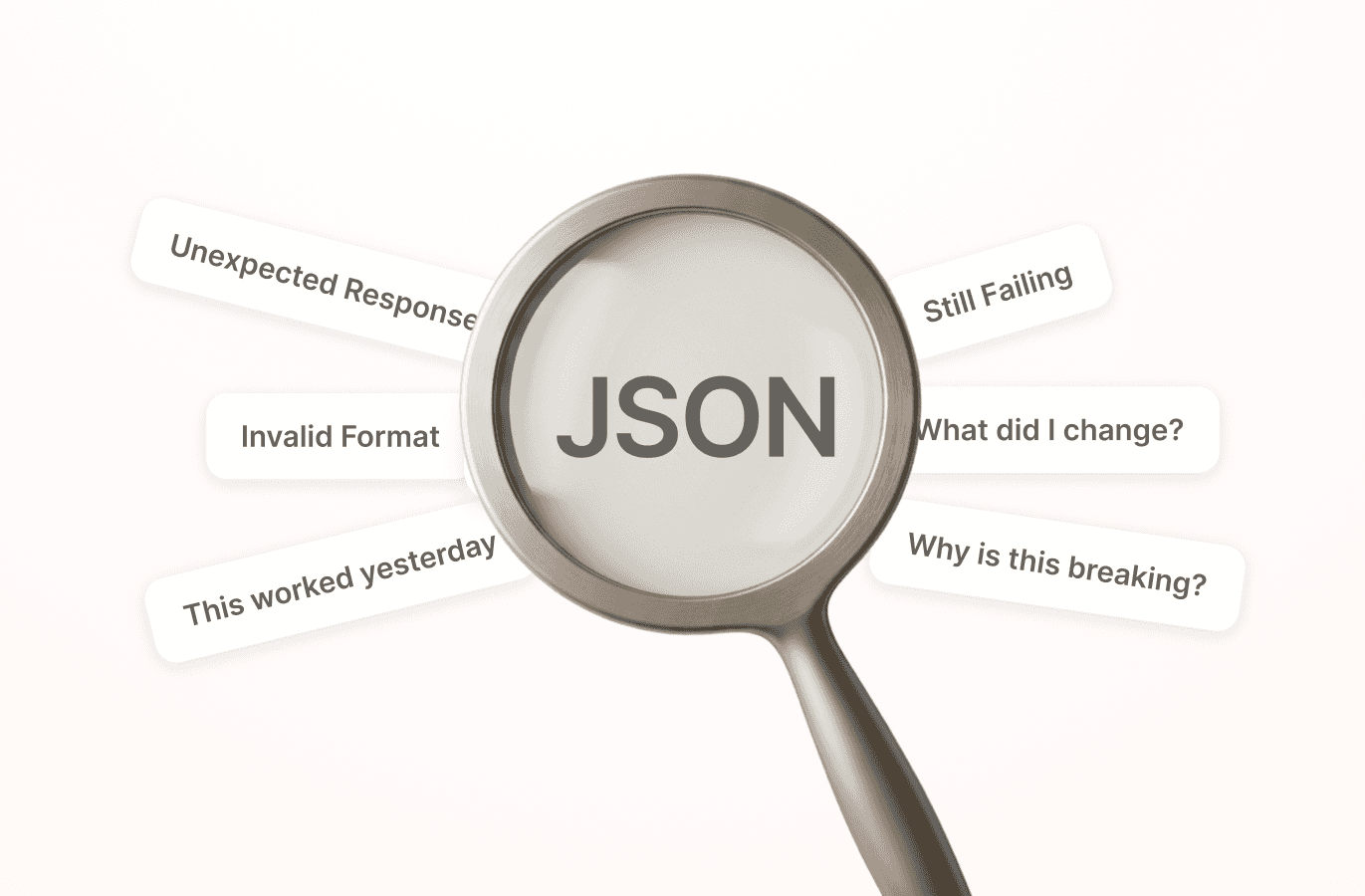
JSON is unforgiving. A misplaced comma, an unclosed bracket, a string where a number should be all lead to errors

A single API configuration could require 200+ lines of hand-written JSON, with a single misplaced bracket breaking the entire build

Writing JSON by hand is unforgiving. A misplaced comma, an unclosed bracket, a string where a number should be

A real request body configuration from a HyperVerge API module — 37 lines, 4 levels of nesting.

# Problem 2

# Problem 2

Different rules for different connections

Different rules for different connections

Different connections have different structural rules — what fields are relevant, what's expected, what's optional — none of this is surfaced, it's all implicit domain knowledge that lives in the head of developers.

A single API configuration could require 200+ lines of hand-written JSON, with a single misplaced bracket breaking the entire build

Writing JSON by hand is unforgiving. A misplaced comma, an unclosed bracket, a string where a number should be

A peek into the expectations of JSON's to written within different building blocks on the API Builder

# Problem 3

# Problem 3

Finding the right variable meant navigating an entire workflow

Finding the right variable meant navigating an entire workflow

API Builder flows can run 10, 15, 25 steps deep. To configure correctly, a PM would need to manually trace back through the workflow to find the right output key from the right module — scrolling, cross-referencing, every single time.

A single API configuration could require 200+ lines of hand-written JSON, with a single misplaced bracket breaking the entire build

Writing JSON by hand is unforgiving. A misplaced comma, an unclosed bracket, a string where a number should be

Why solve this?

#1

#1

70% of APIs built on the platform include external API modules — making configuring JSON inevitable

70% of APIs built on the platform include external API modules — making configuring JSON inevitable

#2

#2

Being a no code platform for non technical, the goal was to catch errors before they could be made

The goal

  • Design a schema builder that can scale across various use cases where JSON configuration is required on the API Builder

  • Ensure ease of reading JSON's while making edits

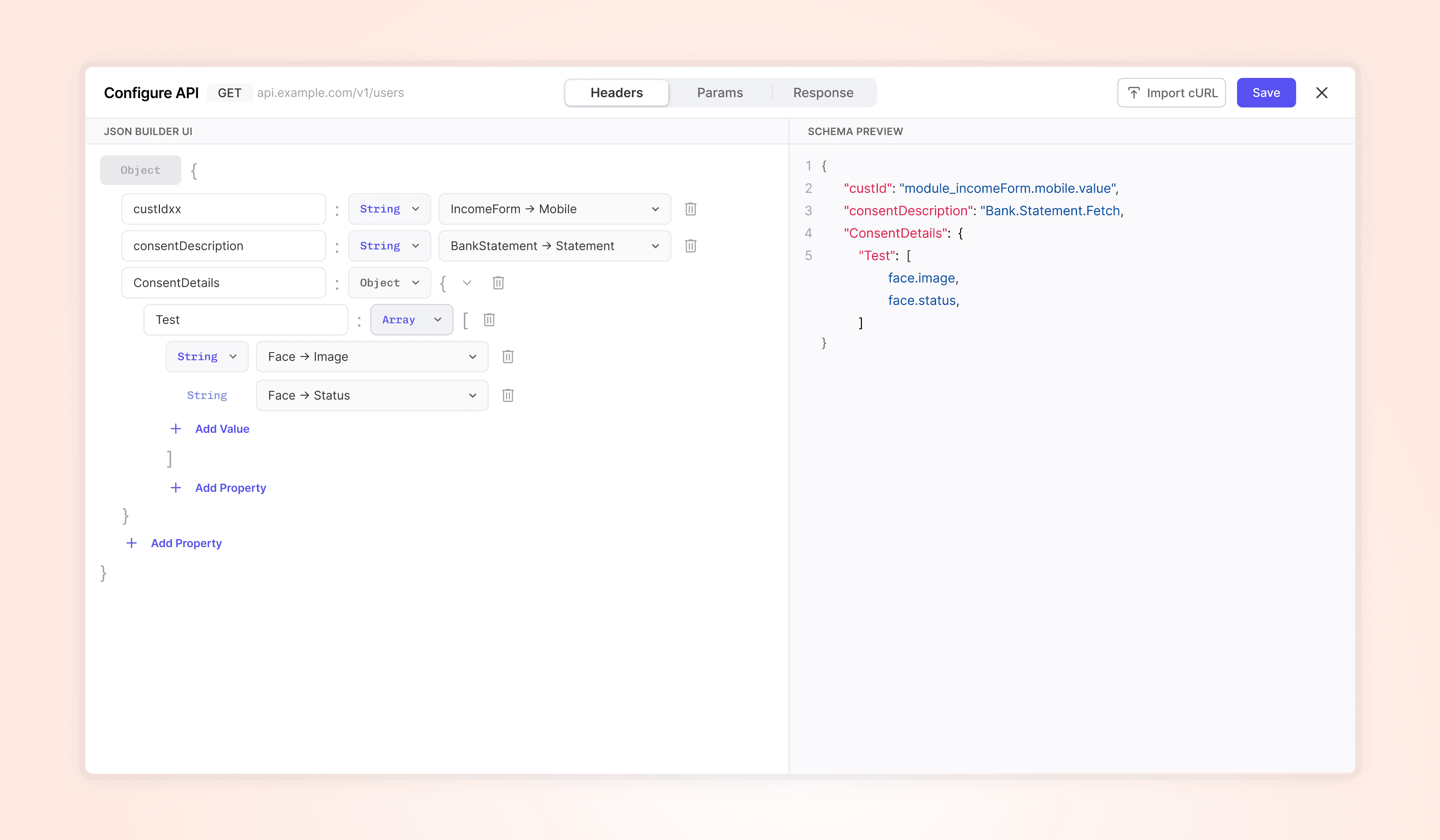
  • UI first JSON building that handles JSON syntax across various data types

  • Design a schema builder that can scale across various use cases where JSON configuration is required on the API Builder

  • Ensure ease of reading JSON's while making edits

  • UI first JSON building that handles JSON syntax across various data types

Approach 1 - Figuring out the layout

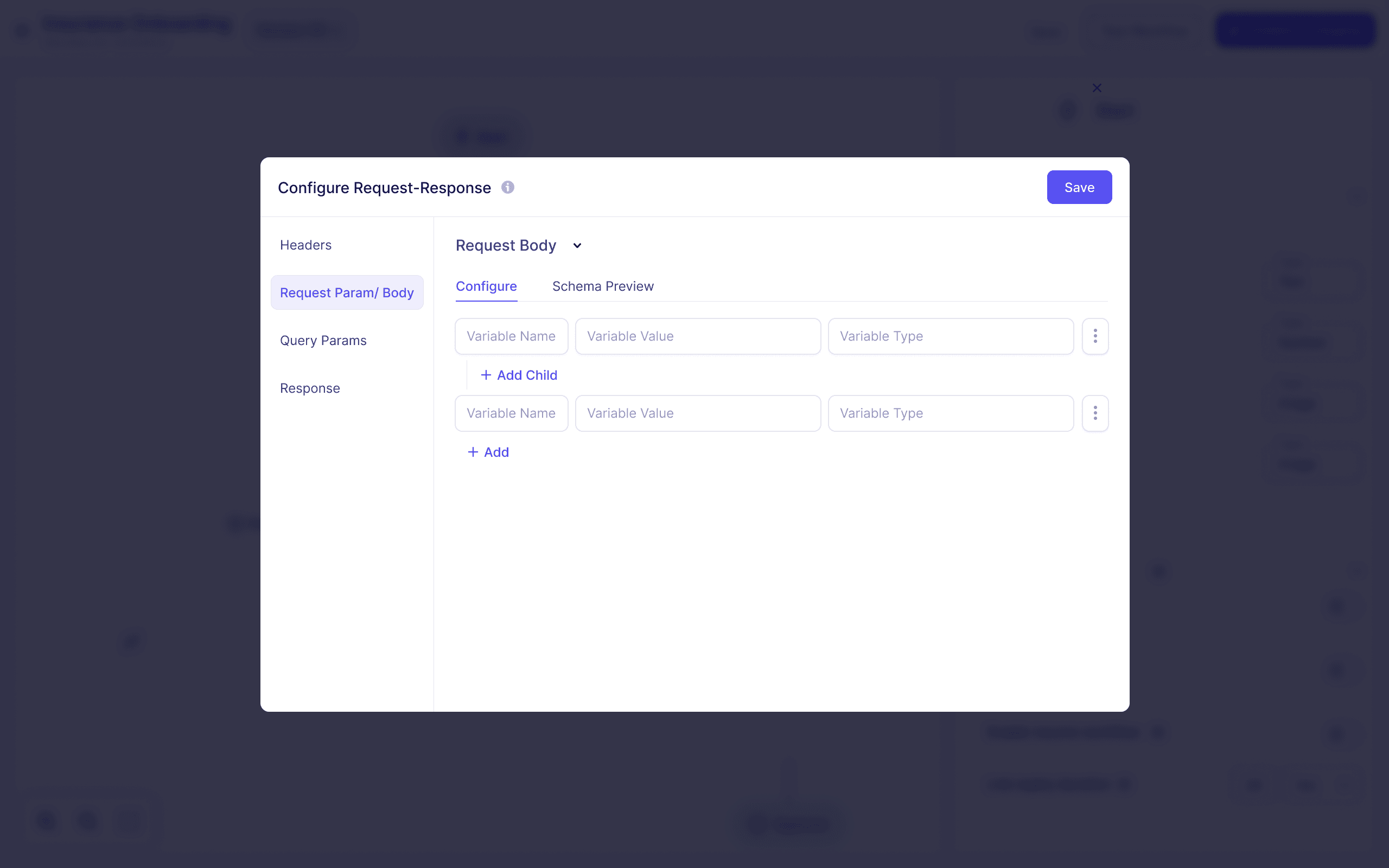
Split various values into name, value and data type

Creating nested structures with this layout meant multiple CTA's on on

Split various values into name, value and data type

Creating nested structures with this layout meant multiple CTA's on on

Approach 2 - Combining structure behaviour into data types
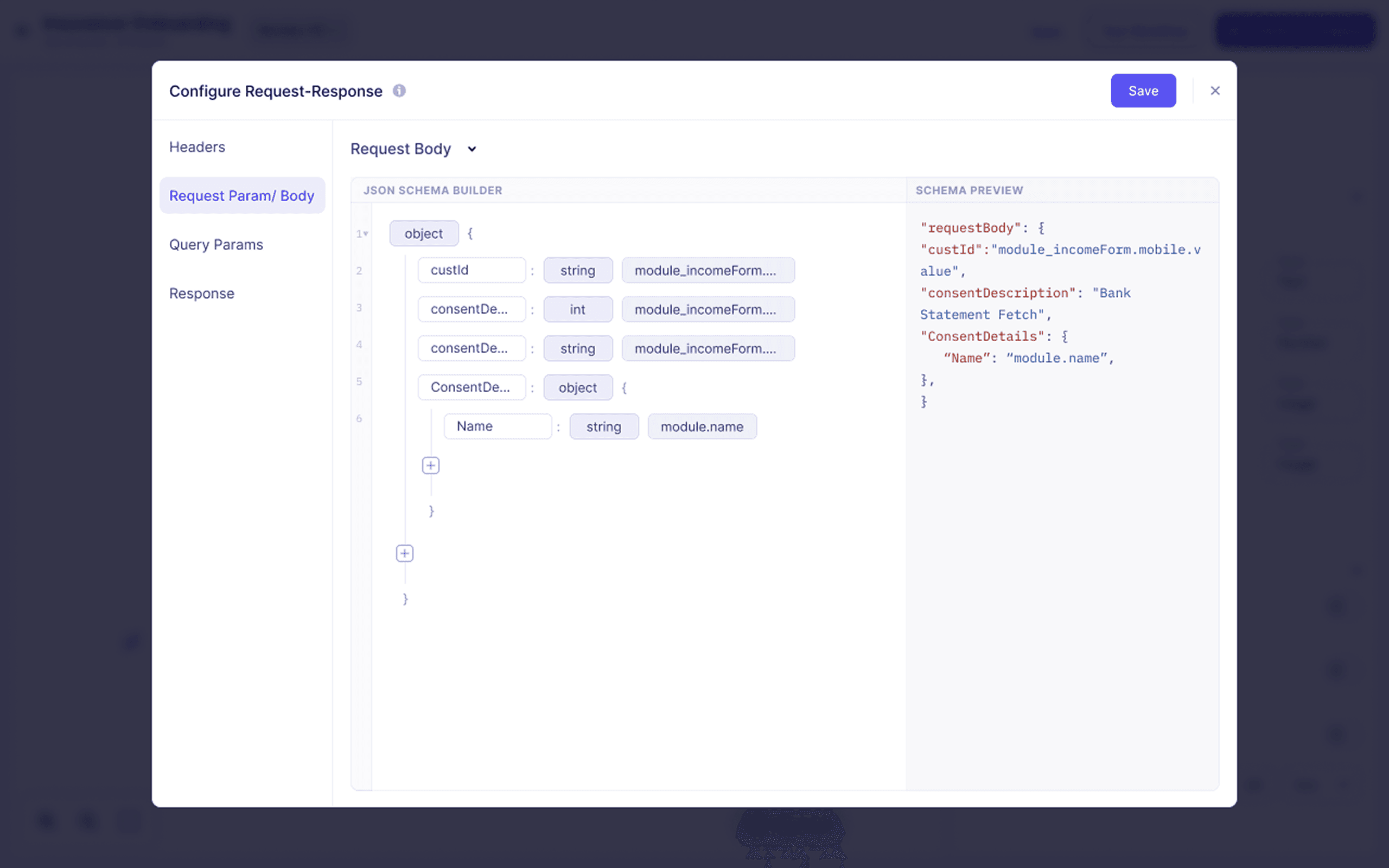
Simplified the structure and minimsed the secondary CTA's to avoid cognitive load

Simplified the structure and minimsed the secondary CTA's to avoid cognitive load

We were headed in the right direction, but….

A few questions came up

How would nested arrays work?

Will we allow data type selection in response?

What if arrays consist of objects how would that work?

and many more…

Built a prototype to test these behaviours

This helped iron out the finer details

This helped iron out the finer details

The solution

The flow

#1 ERROR PREVENTION

Core Principle: Build guardrails into the system to prevent syntax mistakes in JSON structure

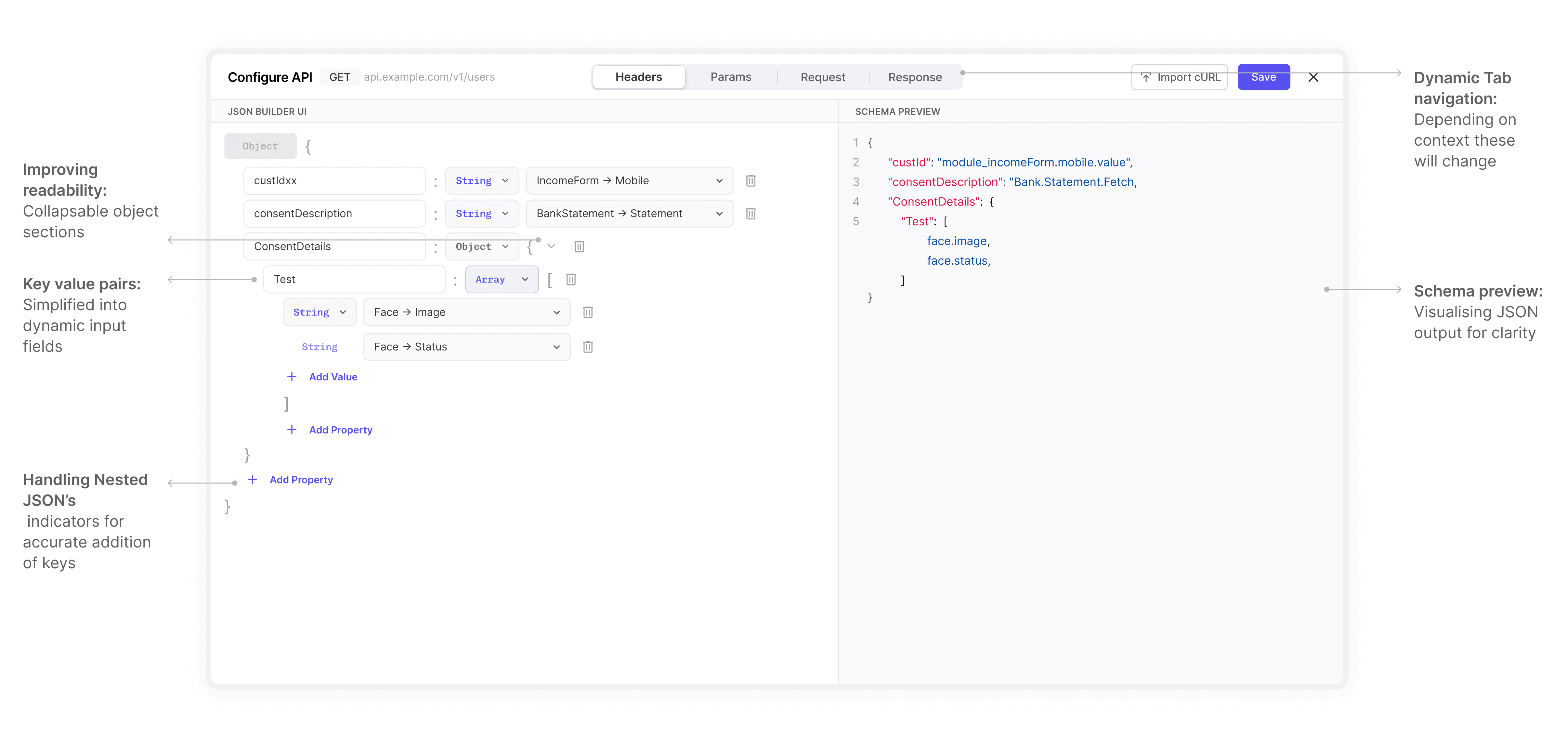
Dynamic pill behaviour
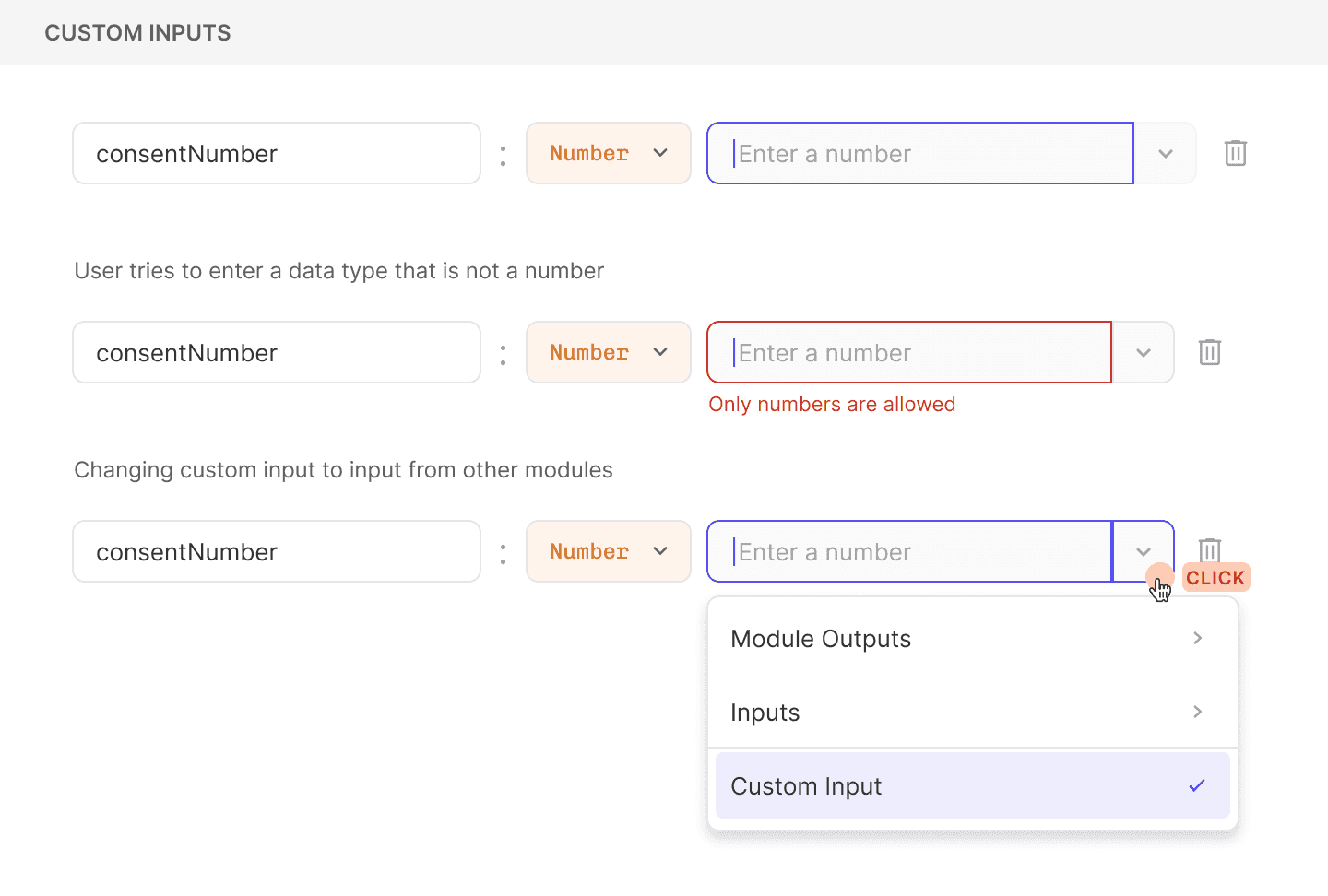
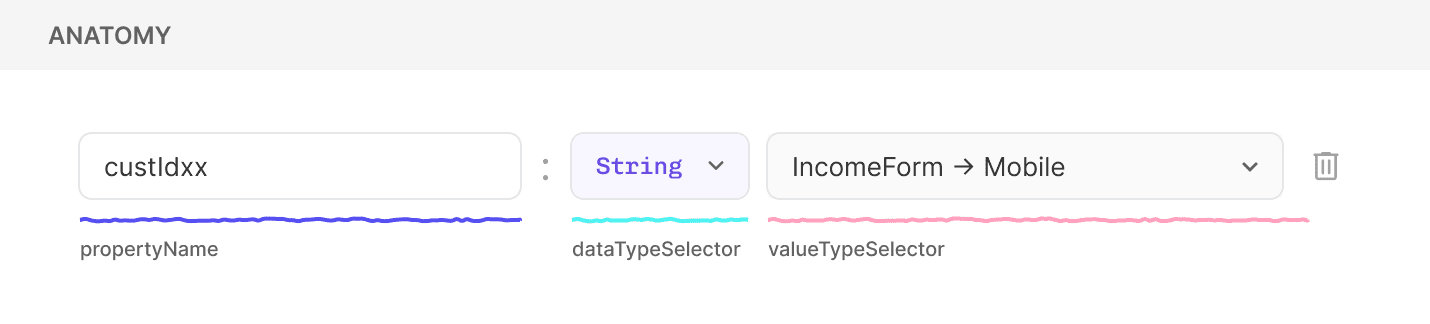
Custom inputs allow only values of the dataTypeSelector

Custom inputs allow only values of the dataTypeSelector

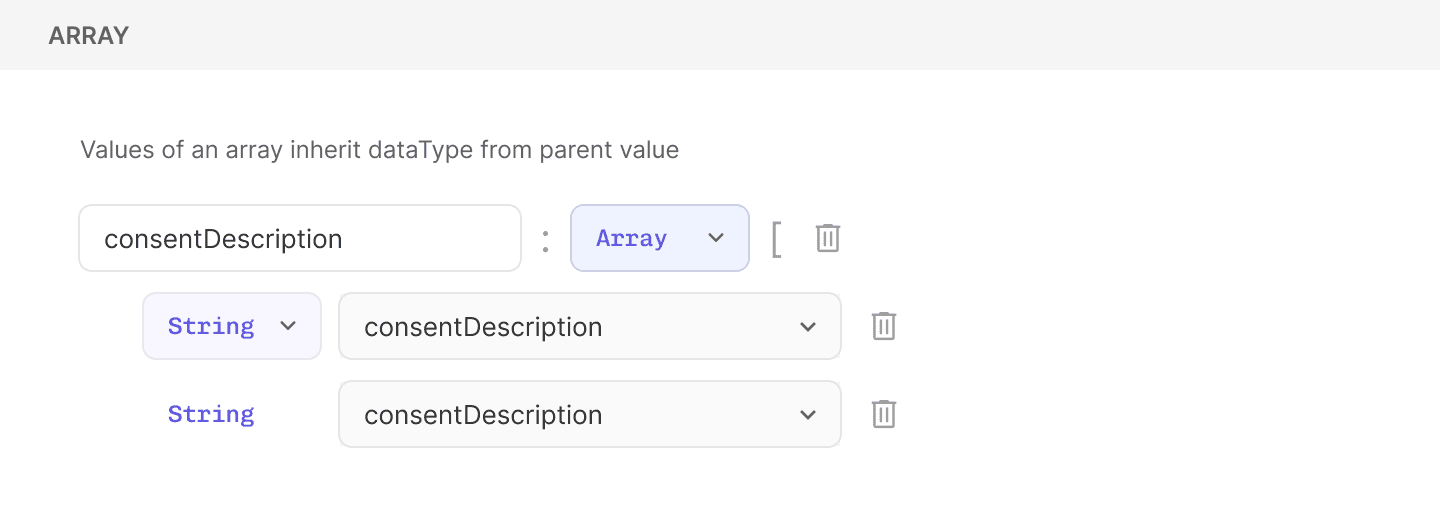
Array is a linear data structure that fundamentally stores a collection of elements of the same data type.

Array is a linear data structure that fundamentally stores a collection of elements of the same data type.

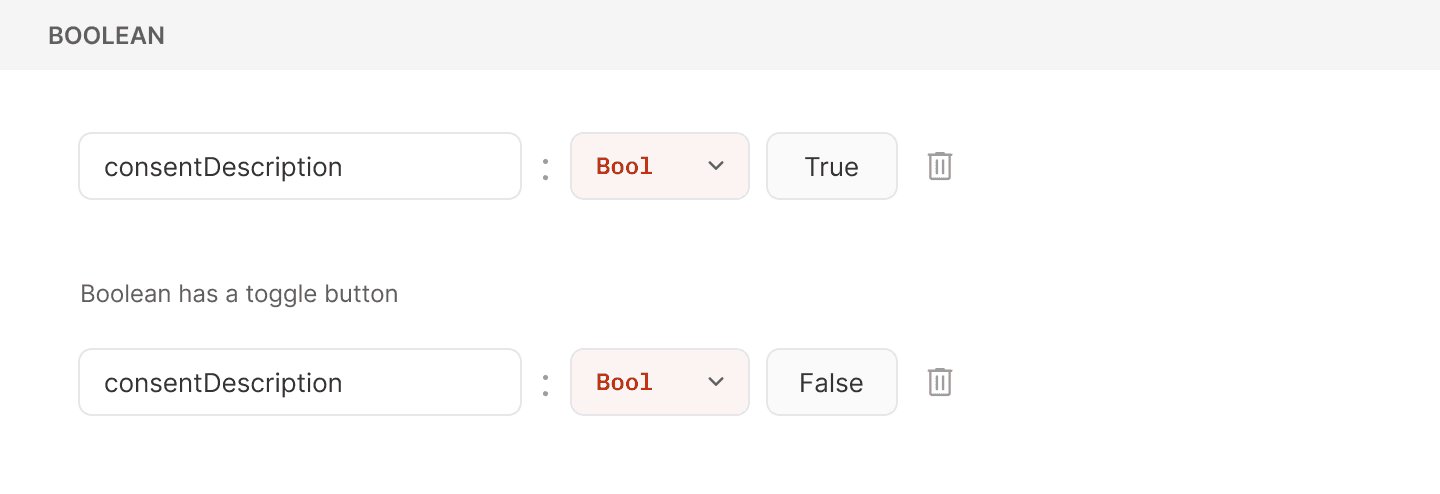
Boolean would only be true false hence took inspiration from a

Boolean would only be true false hence took inspiration from a push button

push button

Contextual functionalities

The JSON schema builder would be used across various touchpoints - this meant that the functionalities had to adapt to the context of it's usage

The JSON schema builder would be used across various touchpoints - this meant that the functionalities had to adapt to the context of it's usage

#2 IMPROVING READABILITY

Data type component

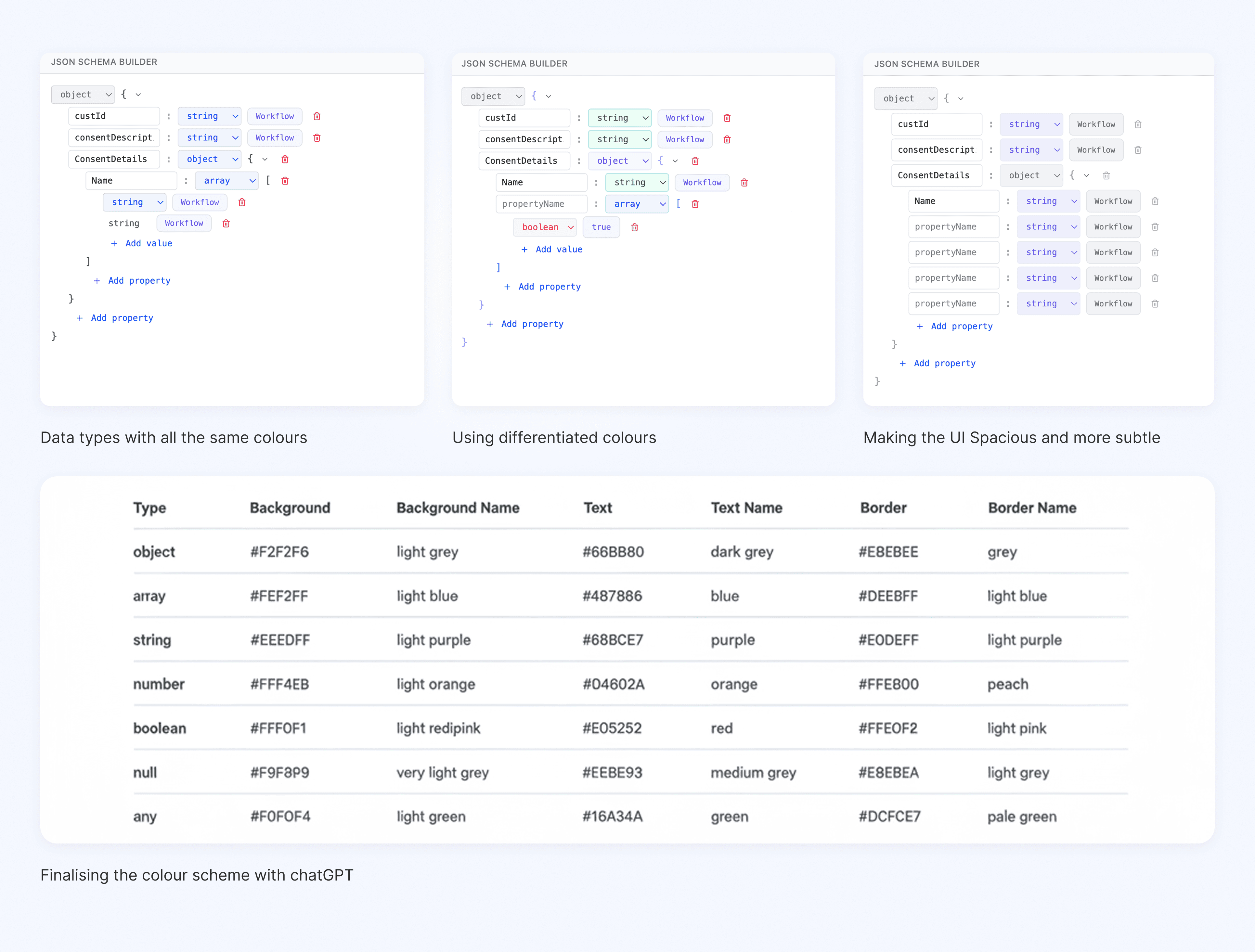
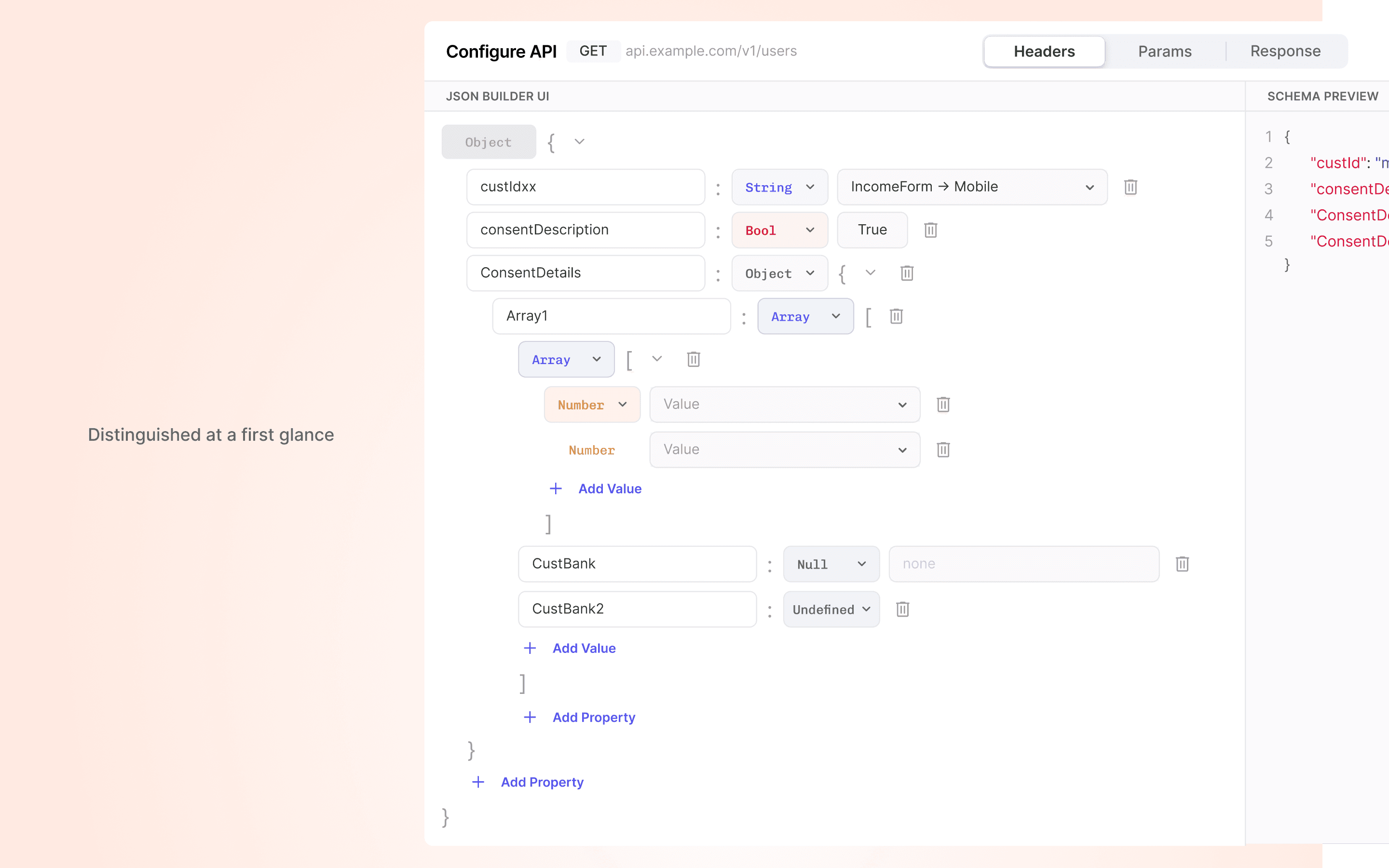
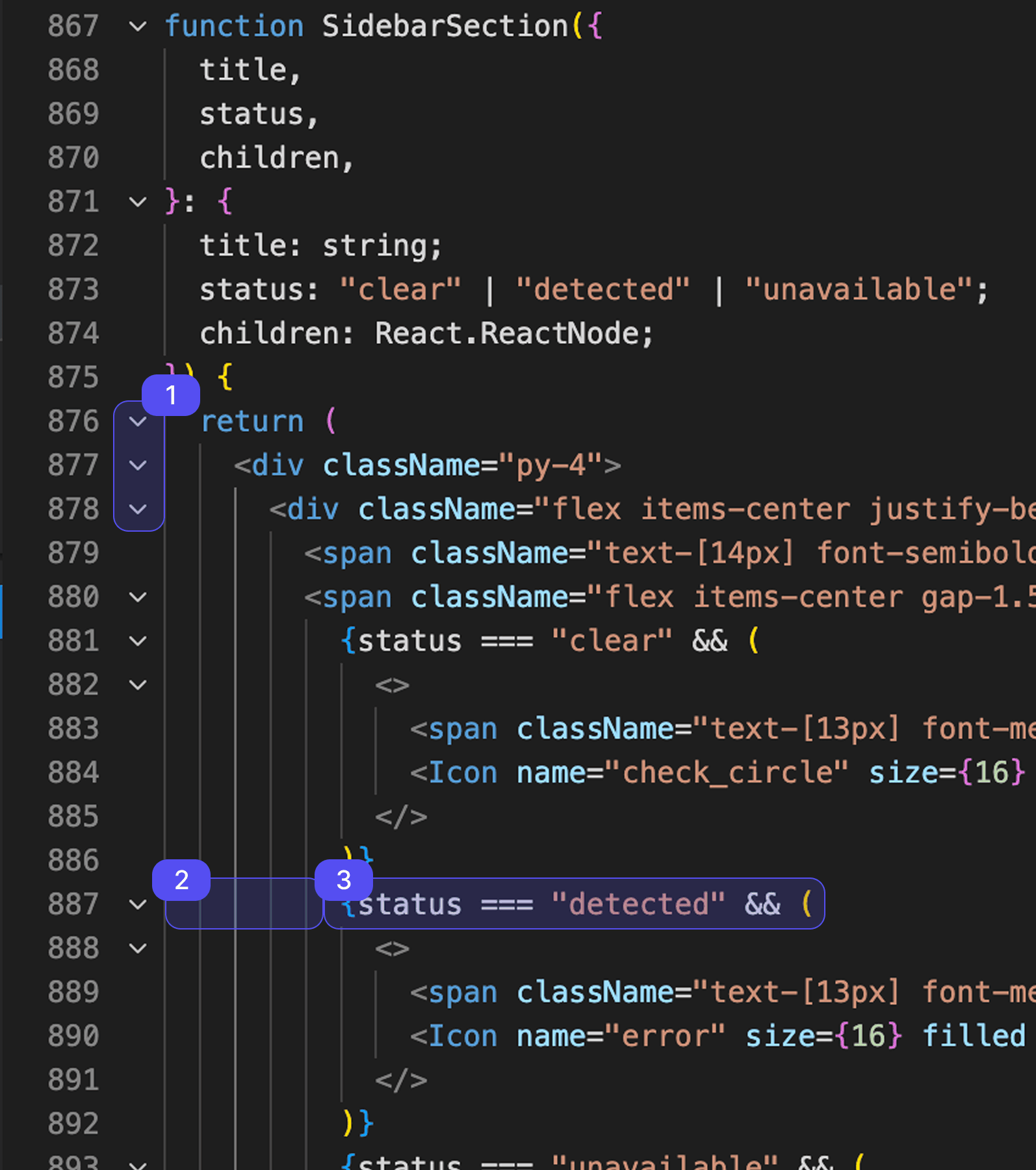
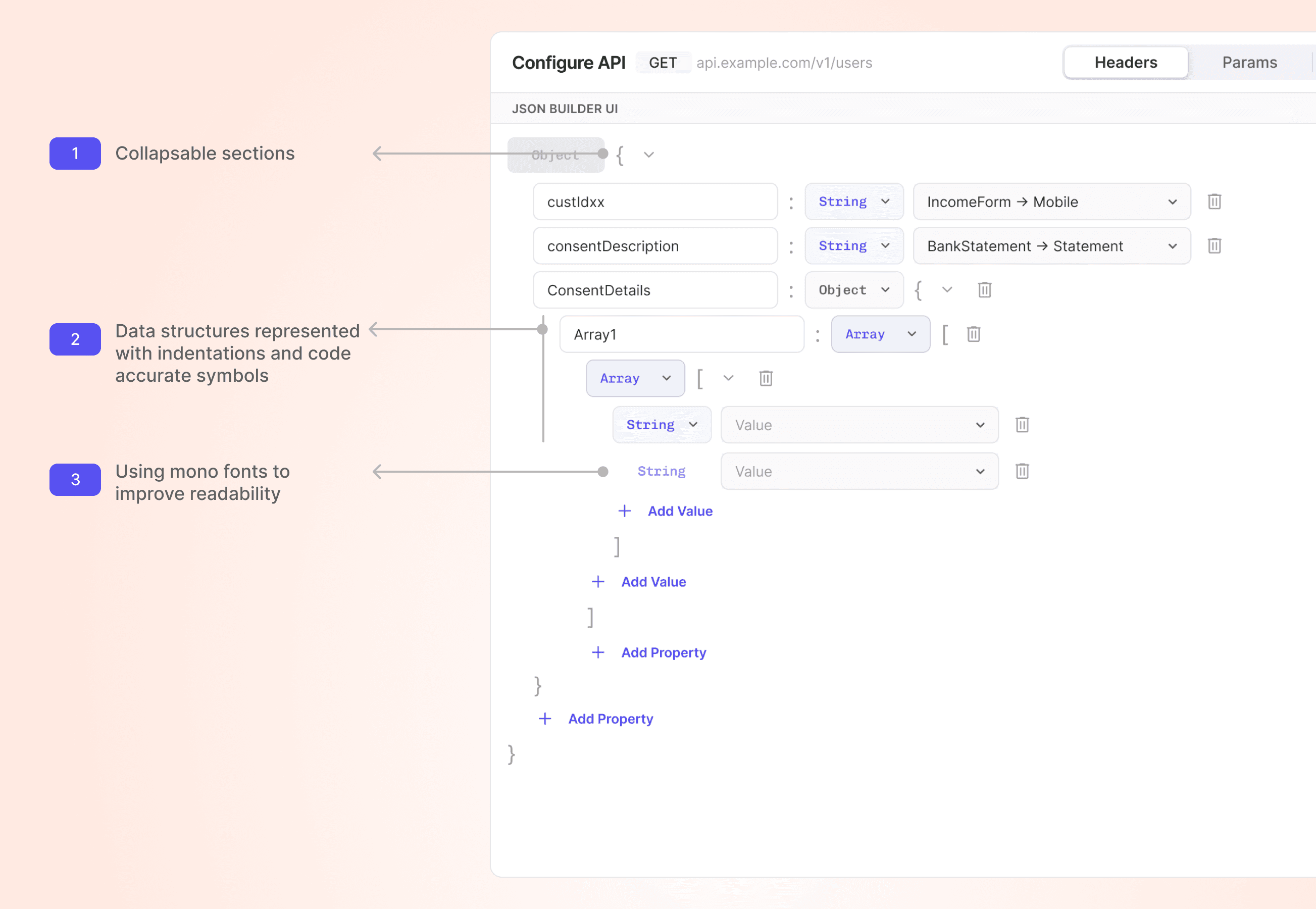
The original data type component did not bring much distinction among different types here i took inspiration from coding IDE's and gave each data type distinguishable visual indication

The original data type component did not bring much distinction among different types here i took inspiration from coding IDE's and gave each data type distinguishable visual indication

Iterating on styles with AI

Making the UI familiar

While the users of this product are non technical nature they are familiar with using code editors to view JSON. Hence parts of the UI was borrowed from familiar patterns in code editors
Try it out for yourself

Impact

  • Effecient handoff to developers - the prototypes acted as the source of truth to understand edge case behaviours

  • Effecient handoff to developers - the prototypes acted as the source of truth to understand edge case behaviours

  • Considering the average JSONs being 200 lines long, manual inputs required by users was reduced 3x .

  • Considering the average JSONs being 200 lines long, manual inputs required by users was reduced 3x .

  • Techincal PM's within the organisation started asking for this Schema Builder to write thier JSON's for everyday use

  • Techincal PM's within the organisation started asking for this Schema Builder to write thier JSON's for everyday use

My learnings & Reflections

  • Testing with real data is crucial to surface gaps

  • Testing with real data is crucial to surface gaps

  • Pattern setting within larger systems

  • Pattern setting within larger systems

  • Learning how to build API's

  • Learning how to build API's

Let's make great things together.

ronithnair

nair_ronith

ronithnair0309@gmail.com

+91 7738180018

Create a free website with Framer, the website builder loved by startups, designers and agencies.